Explain the tool execution flow and Human-in-the-Loop (HITL) pattern in Google ADK.
#google-adk#tools#hitl#human-in-the-loop#confirmation#execution
Answer
Tool Execution Flow & Human-in-the-Loop (HITL)

Tool Execution Flow
Human-in-the-Loop (HITL)
HITL allows agents to pause and ask for user confirmation before executing sensitive tool calls.
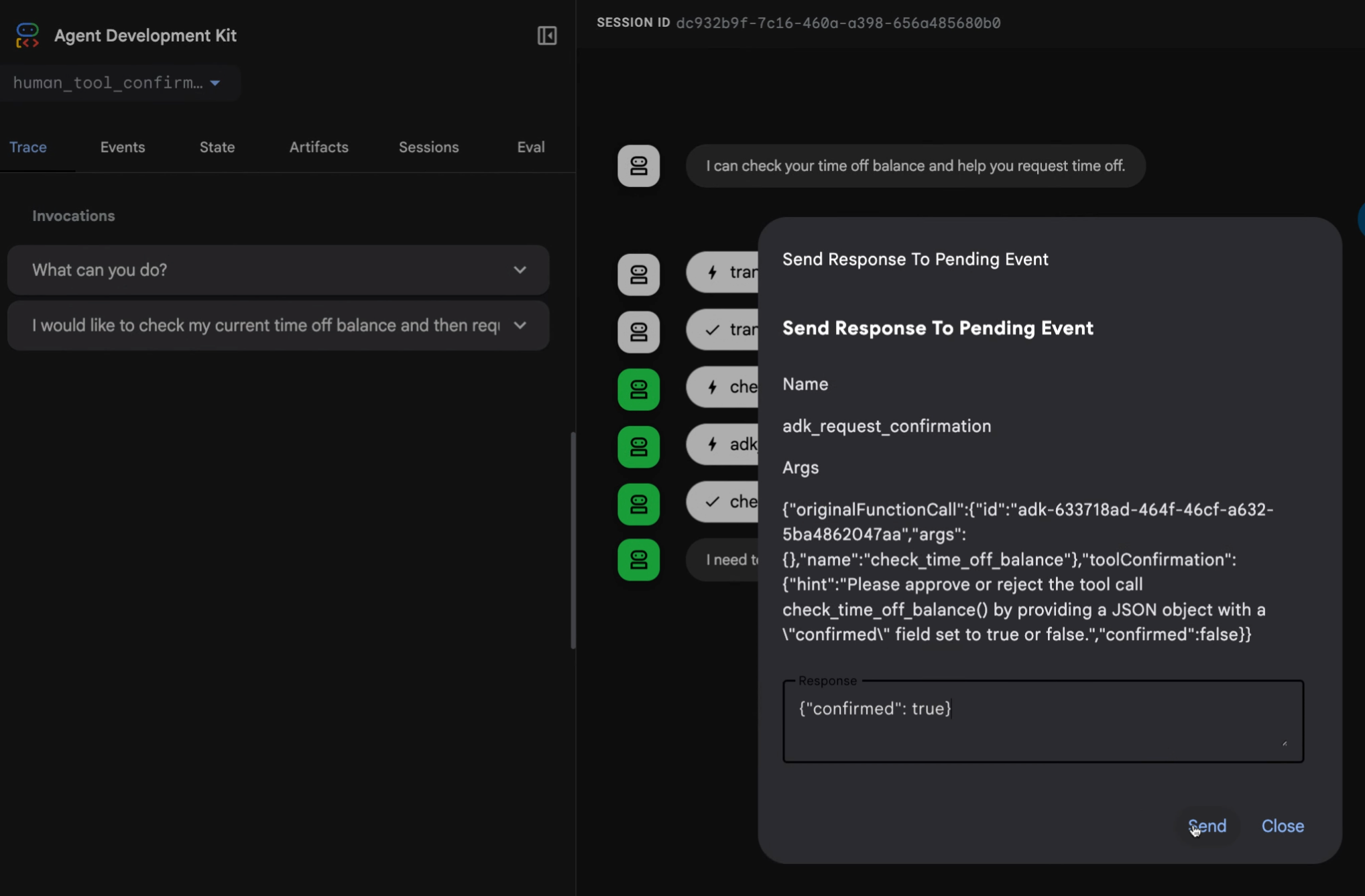
How HITL Works
Implementing HITL
pythonfrom google.adk.agents import Agent def delete_record(record_id: int) -> str: """Delete a record from the database. Args: record_id: The ID of the record to delete. Returns: str: Confirmation message. """ # Perform deletion return f"Record {record_id} deleted successfully." def transfer_funds(from_account: str, to_account: str, amount: float) -> str: """Transfer funds between accounts. Args: from_account: Source account ID. to_account: Destination account ID. amount: Amount to transfer. Returns: str: Transfer confirmation. """ return f"Transferred ${amount} from {from_account} to {to_account}" # Enable HITL for the agent agent = Agent( name="admin_agent", model="gemini-2.5-flash", instruction="Help manage database records and financial transactions.", tools=[delete_record, transfer_funds], tool_confirmation=True, # requires user approval before ANY tool execution )
Selective HITL (Per-Tool)
pythonfrom google.adk.tools import FunctionTool # Only require confirmation for dangerous tools safe_tool = FunctionTool(func=search_records) dangerous_tool = FunctionTool(func=delete_record, requires_confirmation=True) agent = Agent( name="admin_agent", model="gemini-2.5-flash", instruction="Help manage records.", tools=[safe_tool, dangerous_tool], )
Tool Callbacks for Custom HITL
pythondef custom_hitl_before_tool(callback_context, tool_call): """Custom HITL logic with before_tool callback.""" tool_name = tool_call.function_call.name dangerous_tools = ["delete_record", "transfer_funds", "drop_table"] if tool_name in dangerous_tools: args = tool_call.function_call.args print(f"[CONFIRM] Agent wants to call {tool_name}({args})") approval = input("Approve? (yes/no): ") if approval.lower() != "yes": # Return a modified response to skip the tool return {"status": "denied", "reason": "User rejected"} return None # proceed normally agent = Agent( name="admin_agent", model="gemini-2.5-flash", tools=[delete_record, search_records], before_tool_callback=custom_hitl_before_tool, )
Best Practices
| Practice | Why |
|---|---|
| Enable HITL for destructive operations | Prevent accidental data loss |
| Use selective HITL | Don't interrupt for safe read-only tools |
| Log all tool executions | Audit trail for compliance |
| Set text | Prevent runaway tool loops |
| Use text | Custom approval logic |
Learn more at Tool Confirmation and Callbacks.